10Bet has an Android APK, an iPhone app and a Huawei AppGallery version. On a phone you can bet on football, rugby or racing, or switch to Aviator and live dealer games. The sports menu gives you separate shortcuts for live events and your own bets, which makes it easy to get back to a ticket.
How to get the 10Bet Android app
- Open 10Bet on your phone and find Download the 10Bet app!. Select the Android download to get the APK directly from 10Bet, or choose AppGallery if your Huawei phone uses that store.
- Open the completed APK from your Downloads. If prompted, allow installs from the browser or file manager you used, then tap Install. Turn off that permission once 10Bet opens.
Use the mobile site in Chrome if your device blocks APK installation. You can browse markets and the casino from the same account.
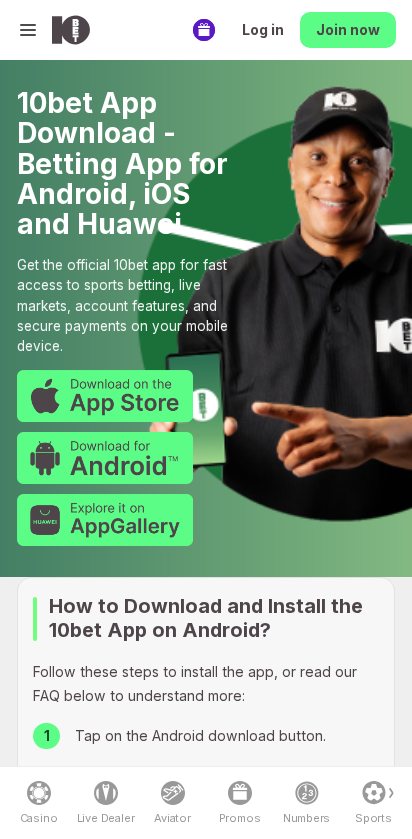
How to get the 10Bet iOS app
- Open the download page on your iPhone and choose the App Store option for South Africa.
- Tap Get, confirm the download, then open 10Bet and sign in.
If the App Store won’t install it on your iPhone, open the mobile site in Safari.
10Bet mobile app review
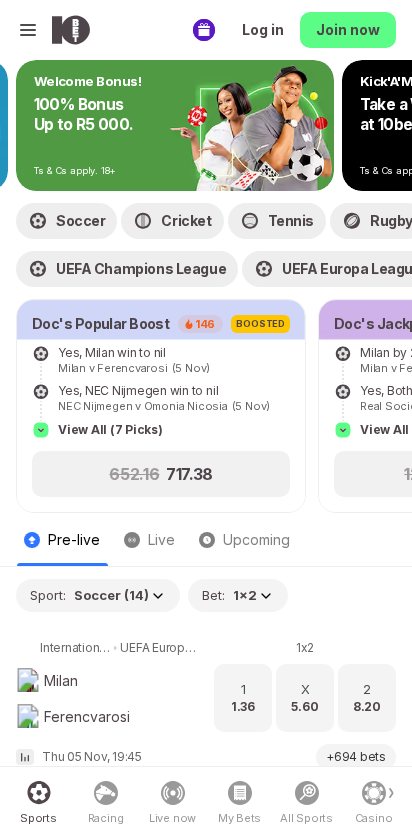
The sports lobby puts Live now, My Bets and All Sports within easy reach. Use All Sports for a specific league or Live now when you already know a match is under way. Racing and Numbers have their own entries, so you can reach either without working through the football fixtures.
The download and day-to-day betting both need a connection. Use Wi-Fi for the installer or a live dealer stream, and keep your one-time account codes private. If you share your phone, sign out when you finish so your balance and open tickets stay private.
10Bet app vs mobile site
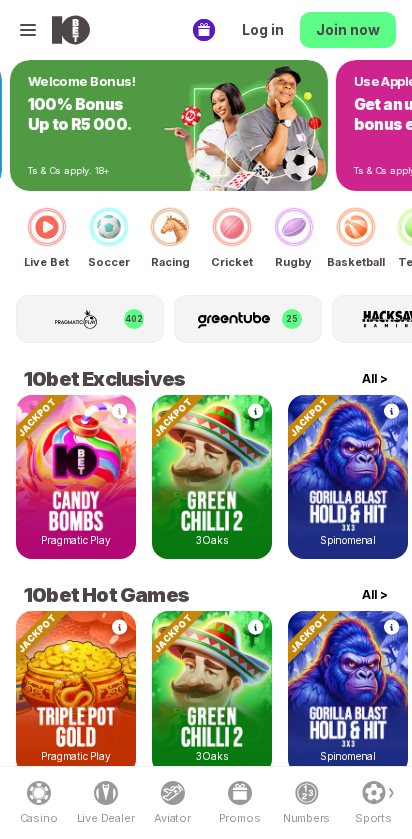
Use the mobile site if you want to check today’s markets or compare a price before installing anything. The browser already gives you the useful sports shortcuts and a separate casino lobby. The app makes more sense if you regularly come back to review tickets and want a dedicated icon on your home screen.
Mobile registration and login
Tap Join now to create an account or Log in to use the one you already have. Once you’re signed in, open My Bets to check the tickets on that account. If a password or verification prompt interrupts you, finish it on the same phone before opening a new sign-in window. See the 10Bet sign-up guide for the account setup.
10Bet mobile casino
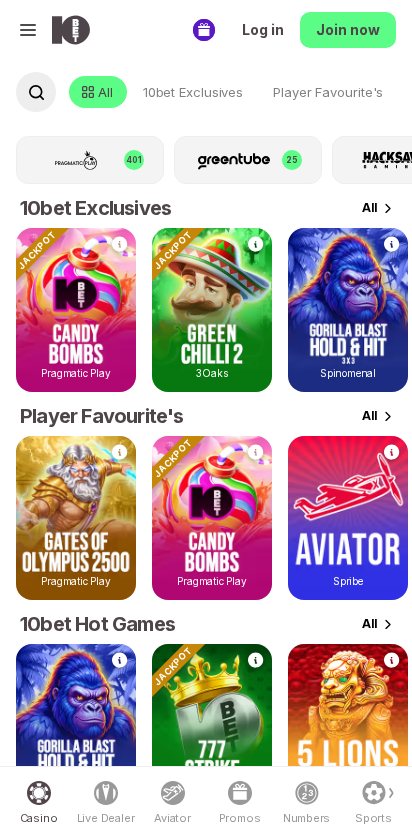
Open Casino for the tile lobby, Live Dealer for hosted tables or Aviator to go straight to the crash game. The slots lobby gives you specific browsing groups such as 10Bet Exclusives, Kevin’s Picks and Crash Games. Start with one of those groups if the main feed is too broad.
Pragmatic Play, Hacksaw Gaming and EGT are among the slot providers, with Evolution in the live section. Aviator, Aviatrix and Skyward Deluxe sit on the crash side of the catalogue. Inside a game, check the stake controls before starting, especially when the game takes over the full screen.
10Bet mobile sportsbook
Use Sports for pre-match fixtures and Live now for events already in play. The mobile list covers football, rugby, cricket, tennis and basketball, while horse racing has its own entry. Open a fixture to see its full market list before adding a selection.
Bet Builder is available on eligible football and basketball fixtures. If you want a result and a scoring market from the same match, start there and check the combined price in the slip. After placing a bet, open My Bets for the ticket before trying again if the connection dropped.
Are mobile payments secure?
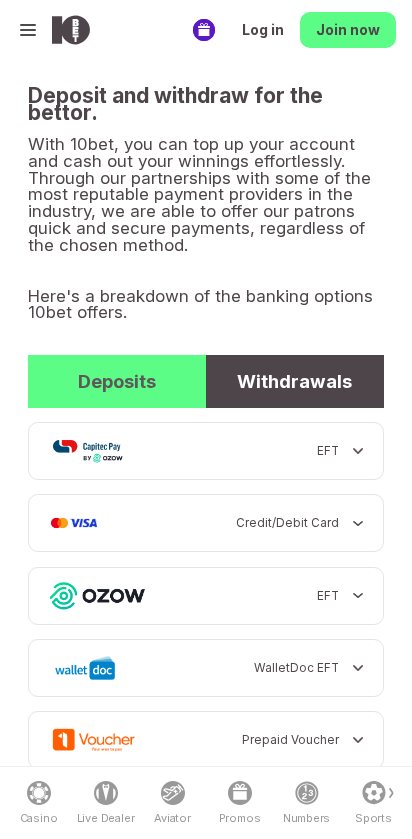
Open Payment Methods and check the Deposits and Withdrawals tabs separately. Cards, vouchers and Capitec Pay by Ozow are among the deposit routes, and the withdrawal tab lets you check the available cash-out options before you fund the account. If you approve a payment in your bank app, return to 10Bet and check the balance or transaction status before repeating it. Our 10Bet payment guide covers the available methods.
Troubleshooting and support
Start with the screen where the problem occurred. The sports lobby gives you a quick way to check tickets, while Contact Us is the place to take an installer or cashier problem you can’t resolve.
- APK won’t open. Wait until the file finishes downloading, then reopen it from Downloads. If Android flags the file, use the mobile site while you confirm the installer with 10Bet.
- Live price changed. Read the current price in the slip before confirming. Open My Bets if you already tapped to place it.
- Deposit balance is slow. Keep the bank or voucher reference and check for an existing transaction. Give support that reference if the balance still needs tracing.
📌 Some advice. Check Withdrawals before topping up by voucher so you know which details you’ll need when you cash out.
10Bet app rating for quick access to live markets
The easiest part of using 10Bet on a phone is moving between Live now and My Bets. The separate Aviator and Live Dealer shortcuts are useful when you already know what you want to play, while the casino filters help when you’re browsing. It earns 5.5/10 for a mobile layout that keeps those destinations easy to find.
FAQs
🍎 Can I install 10Bet on an iPhone?
Yes. Select App Store on the 10Bet download page and open the South African listing.
🎮 How do I find Aviator?
Tap Aviator in the main navigation, or open Casino and choose Crash Games.
💳 Where do I find withdrawal options?
Open Payment Methods and switch from Deposits to Withdrawals. Sign in to see the options available in your cashier.

