- Home
- Betting apps
- Playabets
Playabets App Review South Africa
Playabets offers an Android APK and a mobile website for iPhone. You can bet on football, rugby and horse racing or switch over to slots, live dealer games and lucky numbers. The best reason to use it on a phone is the direct Horses shortcut, especially if you like building a bet from several runners in the same race.
- Independent review
- 18+ only
How to get the Playabets Android app
- Open the Download App page on Playabets and select the Android APK. The bookmaker distributes the file from its own site, so start there when you install or update it.
- Open the finished file from Downloads and follow the Android installer. If your phone requests permission to install from that source, allow it for the browser or file manager and turn it off again afterwards.
If your phone only allows Google Play installs, use Playabets in Chrome. The mobile menu already has Sports, In-Play and Horses.
How to use Playabets on iPhone
- Open the Playabets mobile site in Safari. The iPhone route is through the browser.
- To create an icon, tap Share, then Add to Home Screen. Open the shortcut and check that it takes you back to Playabets.
The shortcut gives you the same mobile site you get from Safari, including the Racing, Casino and Chat shortcuts.
Playabets mobile app review
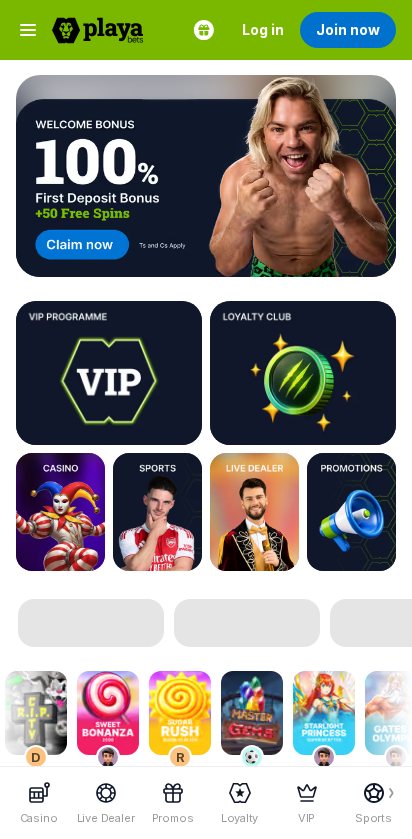
The mobile menu is the fastest way around Playabets. Sports takes you to the main sportsbook, In-Play is for events under way and Horses takes you straight to racing. The homepage opens with casino promotions and games, so use a shortcut if you want to get to a racecard quickly.
Playabets needs a connection to update odds and load games. On a limited data bundle, stick to odds lists and use Wi-Fi if you’re opening a live dealer table. Keep FICA documents and sign-in details private, especially if you use the browser shortcut on a device someone else can access.
Playabets app vs mobile site
On iPhone, use the mobile site for the full set of browser shortcuts. On Android, the browser is the quicker option if you’re checking a racecard once or comparing odds. The APK makes more sense if you return for regular meetings and want Playabets on your home screen as a standalone app.
Mobile registration and login
Tap Join now or Log in in the green bar at the top. Once you’re in, open your account name and go to verification to upload an ID document or passport and proof of address. Use Chat for password recovery if Playabets needs to verify your identity first. See the Playabets sign-up guide for the account setup.
Playabets mobile casino
Tap Casino, then swipe through options such as Playa Picks, Instant Wins and Drops & Wins. The catalogue covers slots, Megaways and jackpots from providers including Pragmatic Play, NetEnt and Hacksaw. Use Live Dealer for hosted games from providers such as Evolution and Pragmatic Play.
The crash catalogue includes Aviator, Aviatrix and JetX. If you’re looking for one of them, search by title because Playa Picks is a rotating selection. For a slot with a bonus buy, check the feature cost inside the game before committing to a spin or a purchase.
Playabets mobile sportsbook
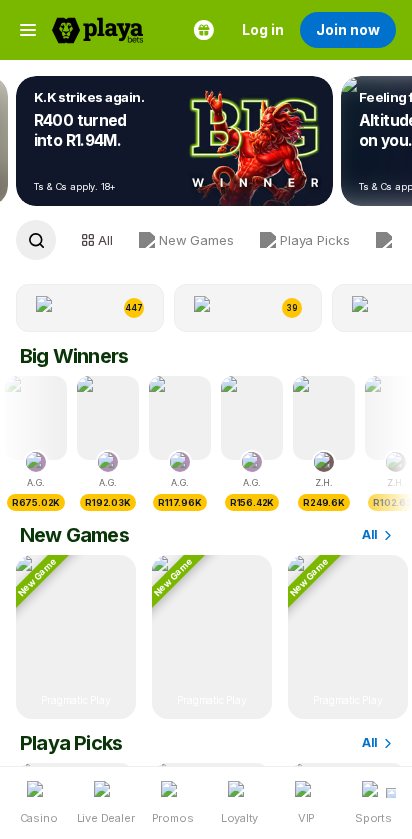
Start under Sports for soccer, eSoccer, rugby and cricket, or open In-Play for live odds. Playabets also has quick links for competitions and teams such as the English Premier League and the Springboks. If you add several selections, check whether you’ve built a multiple or are looking at separate singles in the slip.
Horses takes you into a different set of markets, including Win/Place, Trifecta and Pick 6. Playabets also offers a racing multibet with up to four picks, so check the bet type and race number before you submit. The published payout caps differ by racing bet type, which matters more on a high-odds ticket.
Are mobile payments secure?
Playabets lists Capitec Pay, Ozow and several voucher brands for funding an account. Complete FICA, then open My Account and Withdraw to confirm the payout methods available to you before you deposit. Check the destination details and save the reference if a bank payment or cash payout needs tracing. Our Playabets payment guide covers the available methods.
Troubleshooting and support
If you’re stuck, open Chat from the mobile navigation. For a ticket or payment issue, have the time and reference to hand so support can find it.
- The APK stops during installation. Open the completed file from Downloads and check the installer prompt. If Android flags the file, use Chrome while you check the download with Playabets.
- Your race selection disappeared. Return to Horses and check that the meeting and market are still open. Check your bet history first if you already confirmed the ticket.
- The withdrawal screen won’t proceed. Check whether FICA is complete and whether the bank details match your account name. Use Chat if the cashier doesn’t explain which step is holding up the request.
📌 Some advice. Open the racing rules before staking a high-odds multibet. A Win/Place ticket and a Trifecta are subject to different payout caps.
Playabets mobile rating for racing and multibets
Playabets earns 5.5/10 for mobile usability, with the strongest reason to use it being the direct access to horse racing and its range of race bets. The casino also gives you several ways to narrow the catalogue quickly. For occasional odds checks, the browser already puts the essential shortcuts in reach.
FAQs
🤖 Where do I download the Playabets Android app?
Use Download App on the Playabets site to get the Android APK. Use the same page when you need to update it.
🍎 Can I use Playabets on an iPhone?
Yes. Open the mobile site in Safari and add it to your home screen if you want a shortcut.
🏇 Where do I find racing markets?
Tap Horses in the mobile navigation and choose the meeting and race. Check the specific bet type before adding a selection.
💬 How do I recover my password?
Open Chat on the mobile site for help. Support may need to verify your account before it can reset access.