- Home
- Betting apps
- Sportingbet
Sportingbet App Review South Africa
Sportingbet has an Android APK, an iPhone app, and a mobile site for betting on football, rugby, cricket, horse racing, and more. You can also switch to slots, live dealer tables and Aviator from your phone. The mobile sportsbook has the Betslip in the bottom bar, so your selections stay easy to find as you browse.
- Independent review
- 18+ only
How to Get the Sportingbet Android App
Sportingbet’s Android app comes as an APK from its mobile site. There’s no official Sportingbet South Africa app on Google Play. You can use Chrome to browse the sportsbook if you don’t want to install a standalone app.
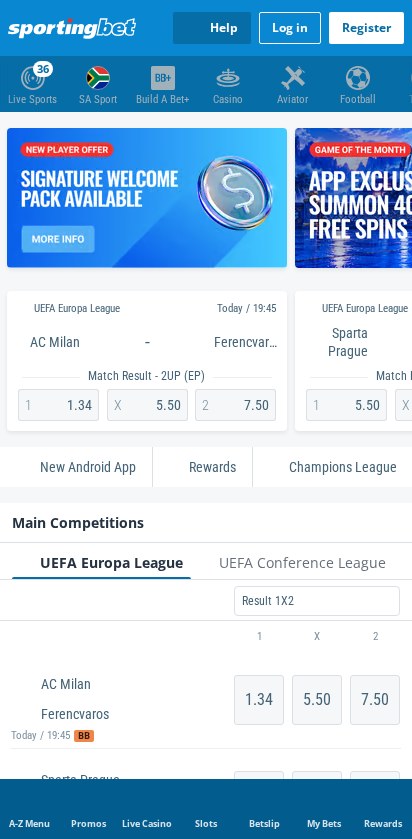
- Open the mobile sportsbook and tap New Android App below the featured fixtures.
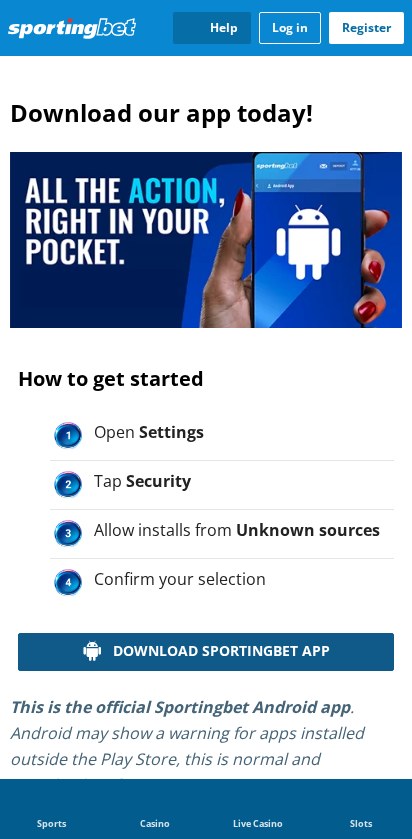
- Scroll past the setup graphics and tap Download Sportingbet App.
- Open the APK from your browser’s downloads. If Android asks, allow that browser to install the file.
- Tap Install, then Open. Turn off the browser’s permission to install unknown apps when you’re done.
How to Get the Sportingbet iPhone App
Open the South African App Store and search for Sportingbet – Online Betting. Check that the listing is for Sportingbet South Africa, then tap Get and open it when the download finishes. If your iPhone can’t install the current version, open the mobile sportsbook in Safari.
Sportingbet Mobile App Review
The iPhone app brings together live betting, selected streams, Build A Bet and auto cash out. The mobile site puts Live Sports, SA Sport and Build A Bet+ along the top. Betslip and My Bets are in the bottom bar, so you can reopen your selections without going back to the fixture.
Install the iPhone version from the South African App Store or get the Android file from Sportingbet. Make sure your phone’s security checks are enabled and use the account’s recovery option if you’re locked out. Sportingbet has no data-free app, so use Wi-Fi for extended live streaming or live dealer sessions if you’re watching your data.
Sportingbet App vs Mobile Site: Which Is Right for You?
Use the mobile site if you mainly compare prices, browse live events, or build an occasional slip. The browser lets you select a price and see your stake and possible return before logging in. Choose the app if you want a dedicated icon or an offer that specifically requires you to bet through the app.
Sportingbet Registration and Login on Mobile
Tap Register at the top of the mobile sportsbook to create an account, or Log in if you already have one. If you open a slip while signed out, tap Login to Bet to get to sign-in. Use the Sportingbet registration and FICA guide for the details you’ll need and the Sportingbet login guide to recover access.
Sportingbet Mobile Casino
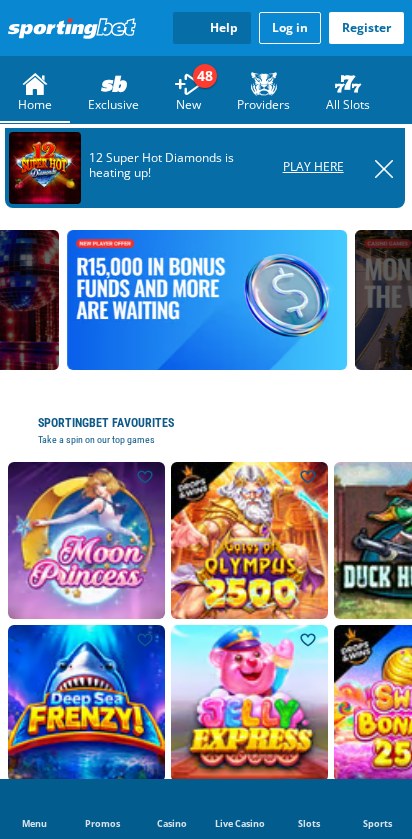
Tap Casino in the top strip to open the slots lobby, then choose All Slots, New or Providers. You can browse classic fruit slots, video slots, and jackpot games using the catalogue tiles. If you want a crash game, tap Aviator directly from the sportsbook.
Tap Live Casino in the bottom bar and choose Live Roulette, Live Blackjack or Game Shows in the lobby. The tiles show what you’re opening before you leave the catalogue, so it’s easy to switch between slots and live tables. Use a stable connection for streamed games, where the dealer video and the betting window run together.

Sportingbet Mobile Sportsbook
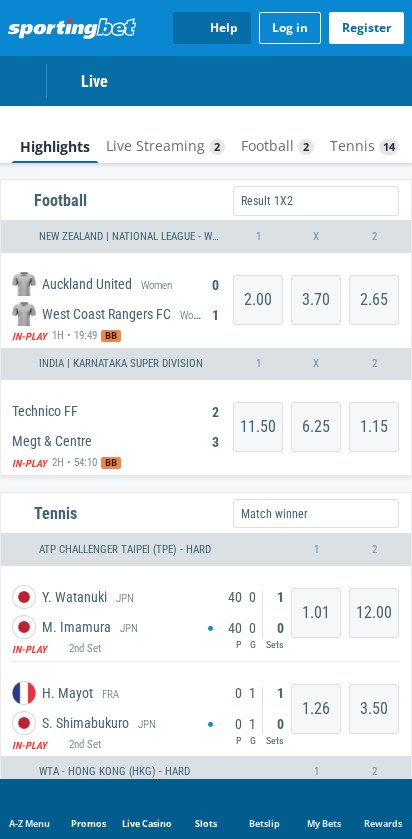
Choose Football, Rugby Union, Cricket or Horse Racing from the top strip. Use Live Sports to find in-play odds, then tap Live Streaming or narrow the board to a sport. For football, the live rows show the score, match time, and available prices.
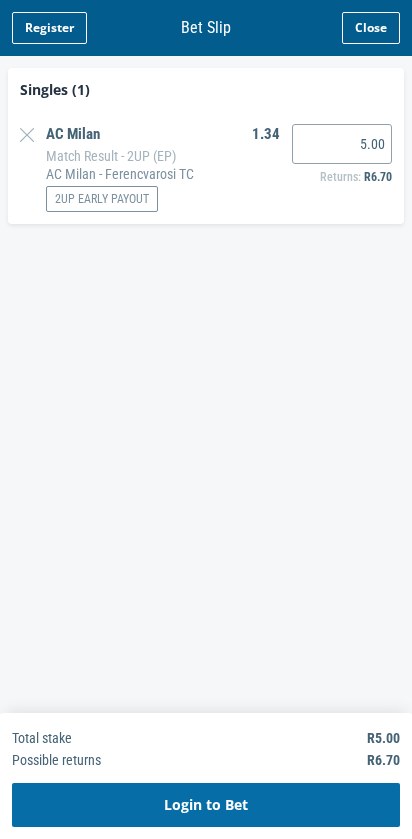
Tap the odds to add a selection, then open Betslip in the bottom bar. In the example, a Match Result – 2UP (EP) selection at 1.34 prefilled a R5.00 stake and showed R6.70 in possible returns, including the stake. Read the market name and stake before continuing, particularly if the same fixture also appears under standard Result 1X2.
Are Sportingbet Mobile Payments Secure?
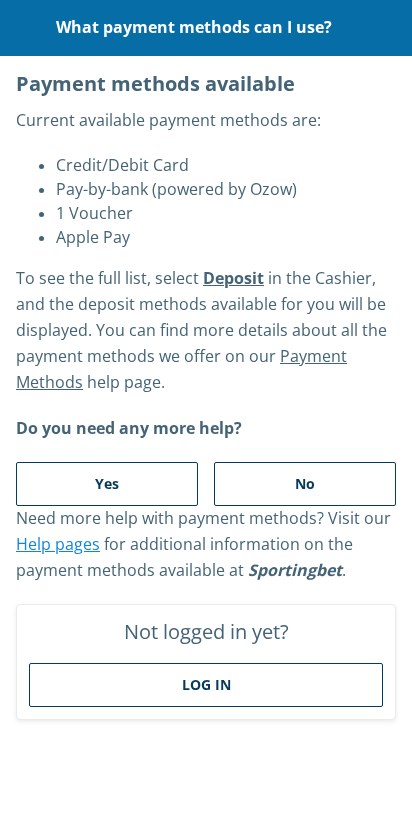
Sign in and open Deposit in the cashier to see your available payment options, including cards, pay-by-bank through Ozow, 1Voucher and Apple Pay. Start in the official cashier and complete any bank or wallet authorisation in the secure screen it opens. Our Sportingbet payment guide covers deposit methods, payout options and Express Withdrawals.
Fixing Sportingbet App, Payment and Login Problems
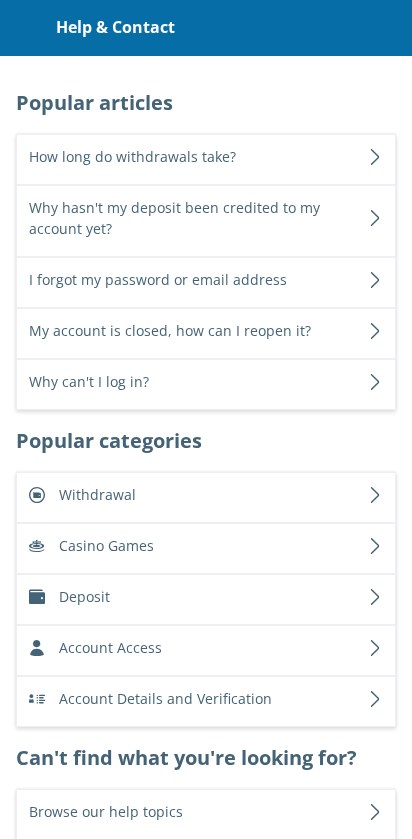
Tap Help at the top of the mobile sportsbook to open Help & Contact. Choose the category for the step you’re stuck on. The popular articles cover missing deposits, withdrawals, and account recovery.
- The Android file won’t install. Download it again through the New Android App if the file is incomplete. If your phone still blocks the APK, use the browser.
- You can’t sign in. Open Account Access for password and email recovery. If you’re stuck on identity checks, choose Account Details and Verification.
- Your deposit hasn’t appeared. Open the missing-deposit article from Popular articles. Keep the payment confirmation handy before contacting support.
📌 Some advice. If a live stream stalls, switch to Wi-Fi or follow the score and odds from the live board.
The Bottom Line: The Betslip Is Always Within Reach
Overall app and usability rating: 5.5/10. Sportingbet’s mobile layout makes it easy to move from live odds to your slip, and the iPhone app adds a straightforward store install. The browser is enough if you mainly check markets and build singles, while the app makes more sense if you use its live tools or app-specific offers.
Sportingbet App FAQs
🍎 Does Sportingbet have an iPhone app?
Yes. Search for Sportingbet in the South African App Store, check that the listing is for South Africa and tap Get.
🎟️ Can I build a slip before logging in?
Yes. Tap a price and open Betslip from the bottom bar. Check the stake, then use Login to Bet when you’re ready to sign in.
💳 Where can I check Sportingbet’s deposit options?
Sign in and tap Deposit in the cashier. For guidance before signing in, tap Help, choose Deposit and open the payment methods article.
18+ only. Gamble responsibly.